Blockwright 2.0: Minecraft 26.3 support, a new AI build engine and a much faster viewer
Blockwright 2.0 supports Minecraft 26.3, rebuilds AI structure generation around build scripts, redesigns the whole app and renders large structures up to 20× faster.

Blockwright 2.0 is out today, for macOS, Windows and Linux, and it's a free update for everyone who already has a license.
1.0 shipped eleven weeks ago. Since then I've rewritten the part of the app people asked about the most (AI generation), redrawn nearly every screen, made the viewer fast enough that I stopped apologizing for big structures, and added Minecraft 26.3. The diff between the two tags is 598 files. It earned the major version.
If you only read one section, read Upgrading at the bottom — Windows users on 1.x have one manual step this time.
The short version
- Minecraft 26.3 support, including its new block-state format, in structures and worlds
- A new AI generation engine: the model writes build scripts instead of placing raw blocks, and every build is checked and auto-fixed before you see it
- Pick the Minecraft version you're building for (anything from 1.18.2 to 26.3) and the build only uses blocks that exist in it
- A redesigned interface: new Home, a ⌘K command palette, View / Edit / AI modes and a guided export
- Mobs drawn the way each version draws them, real baby models, the happy ghast, and yes,
the
jeb_sheep - Much faster: the largest vanilla structures mesh ~20× faster with ~85% less memory, and the world view uses a fraction of the draw calls
- A new NSIS installer on Windows, plus a round of security hardening
Minecraft 26.3 support
Blockwright now reads and writes Minecraft 26.3 (DataVersion 5023, data pack format 121), and 26.3 is no longer marked as a pre-release target.
The headline change in 26.3 isn't a block, it's a format: block states stored in NBT are now spelled
{id, properties} instead of the old {Name, Properties}, and chunk palettes store bare ids. It
sounds cosmetic. It isn't. A tool that writes the old spelling into a 26.3 file produces blocks the
game reads as air, and it does so without an error.
So 2.0 spells block states by DataVersion everywhere it writes them: .nbt and .litematic
exports, chunk patches when you edit a world, and version travel in both directions. It also goes
after the ones that are easy to miss — block states nested inside entity and block-entity NBT,
like a falling block, the block an enderman is carrying, a block_display, or a moving piston.
Those get respelled too, so an export doesn't quietly turn into holes the first time you load it.
While testing this I found that the world editor read 26.3's string palettes as empty, which, on save, would have wiped the sections you edited. It was caught and fixed before release, and it's a good example of why the world write path refuses instead of guessing. If you edit 26.3 worlds, 2.0 is the version to be on.
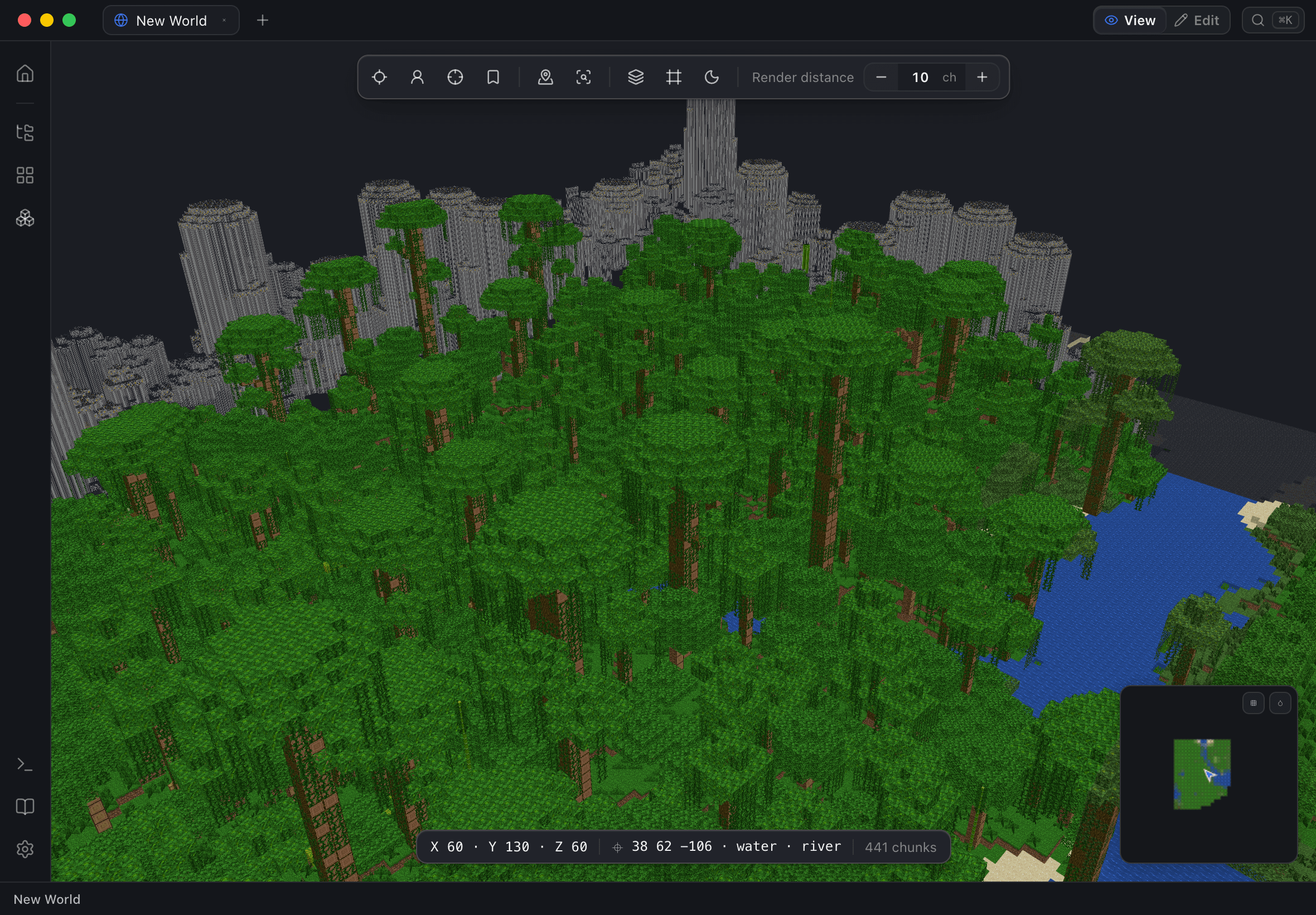
One catalog for every version, 1.18.2 to 26.3
Behind the 26.3 work is a bigger change: Blockwright now ships a per-version Minecraft catalog for all fourteen releases it supports. For each one it knows the block ids, every valid block state and its defaults, the entity types, and where that version keeps its entity textures. It's generated from each release's own data reports, not typed in by hand.
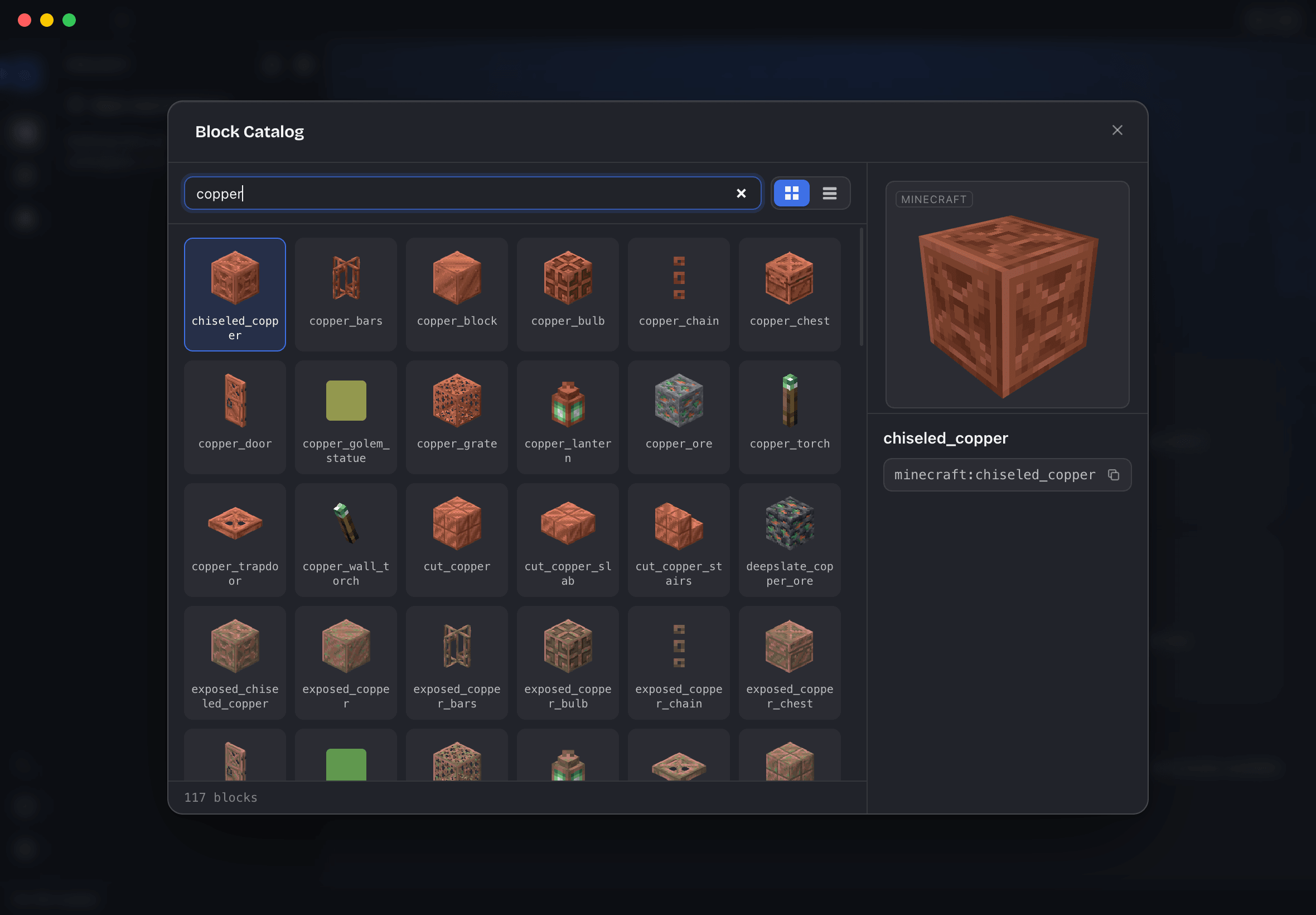
That catalog is what lets the rest of this post happen. The AI engine uses it to refuse a block that doesn't exist in your target version. The mob renderer uses it to pick the right model for the era. And the Block Catalog uses it to show real 3D icons instead of flat swatches: doors, beds and tall plants appear whole, small blocks are framed to their model, and the grid stays smooth with all 1,288 blocks in it.
A new engine for AI generation
In 1.0 the model placed blocks. It worked, but every build was a fresh negotiation with the model about where a staircase goes, and it was expensive to fix a lamp floating in mid-air.
In 2.0 the model writes a build script instead: a small structure language Blockwright expands into blocks in milliseconds. The script draws on a library of 63 parametric parts — roofs, frames, yards, castle and chapel pieces, ruins, cozy and gothic and haunted details — and 16 furniture pieces made from vanilla block tricks. The model spends its effort on the design and the engine does the masonry.
Every run also pulls from one of 9 researched style cards (palettes, massings, motifs, grounds) and draws a different palette, massing and seed for each new build. Ask for the same cottage twice and you get two cottages, not one cottage twice.
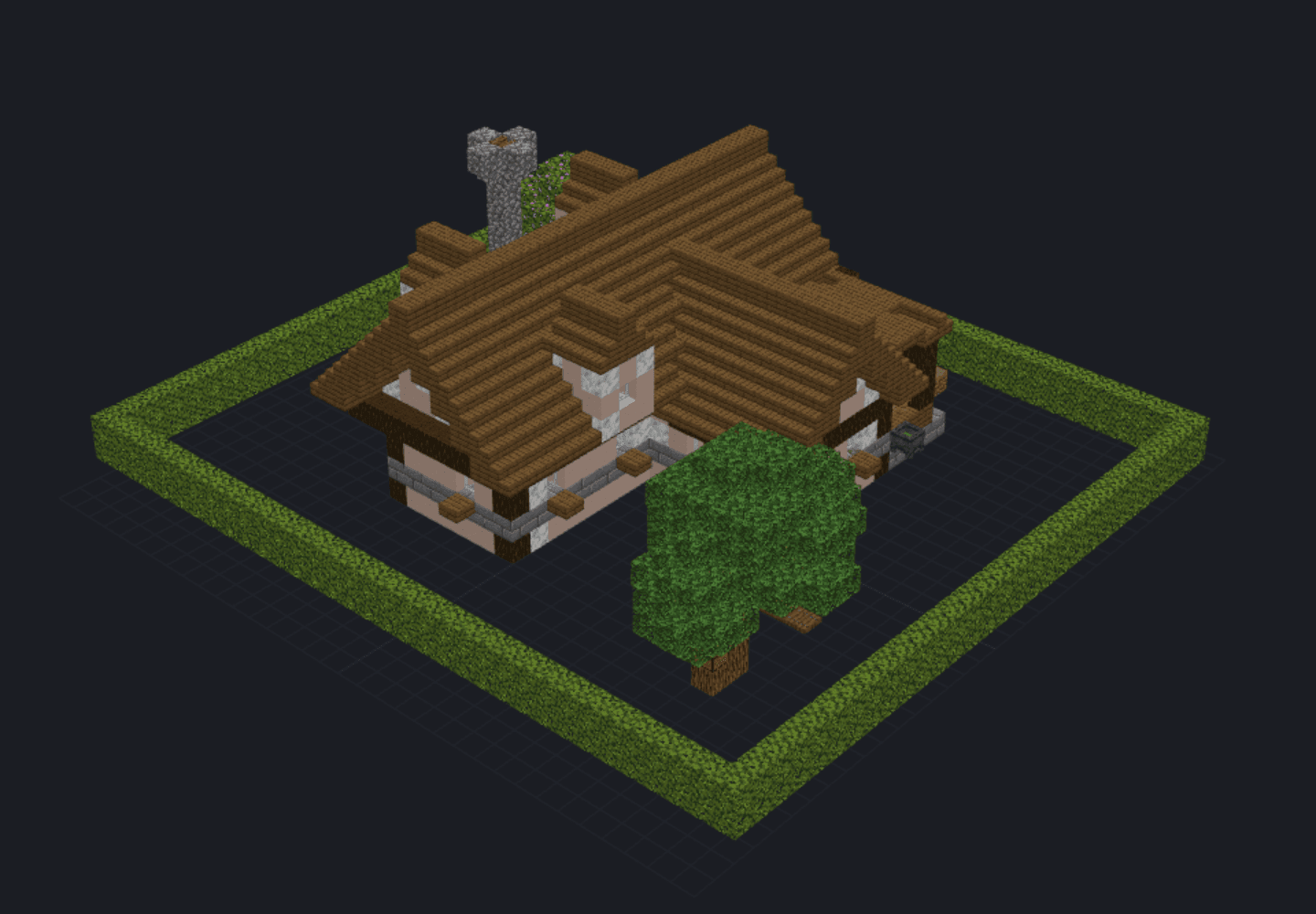
Then the engine checks the result and fixes what it can before you ever see it:
- Lights that can't stand where they are get moved. A lantern on a stair step, a bottom slab, a carpet or thin air is hung from the ceiling on a chain or removed; torches move to a full wall. This is the vanilla support rule, applied the same way the game applies it.
- Floating debris goes away, and doors and stairs that lead into a wall get unblocked
- Blocks are checked against the version you picked — invalid property values are rejected, renamed blocks are swapped, and a block newer than your target becomes a curated stand-in that is reported to you, not hidden
That version picker is new too. Choose 26.3, 1.20.1 or anything in between, and the build is stamped for that release.
Simple mode, and progress you can read
Starting a build used to mean facing the full planner. Now a new build opens in simple mode: a prompt, optional reference images, the version picker, and Generate. Customize still opens the full planner with every module when you want it.
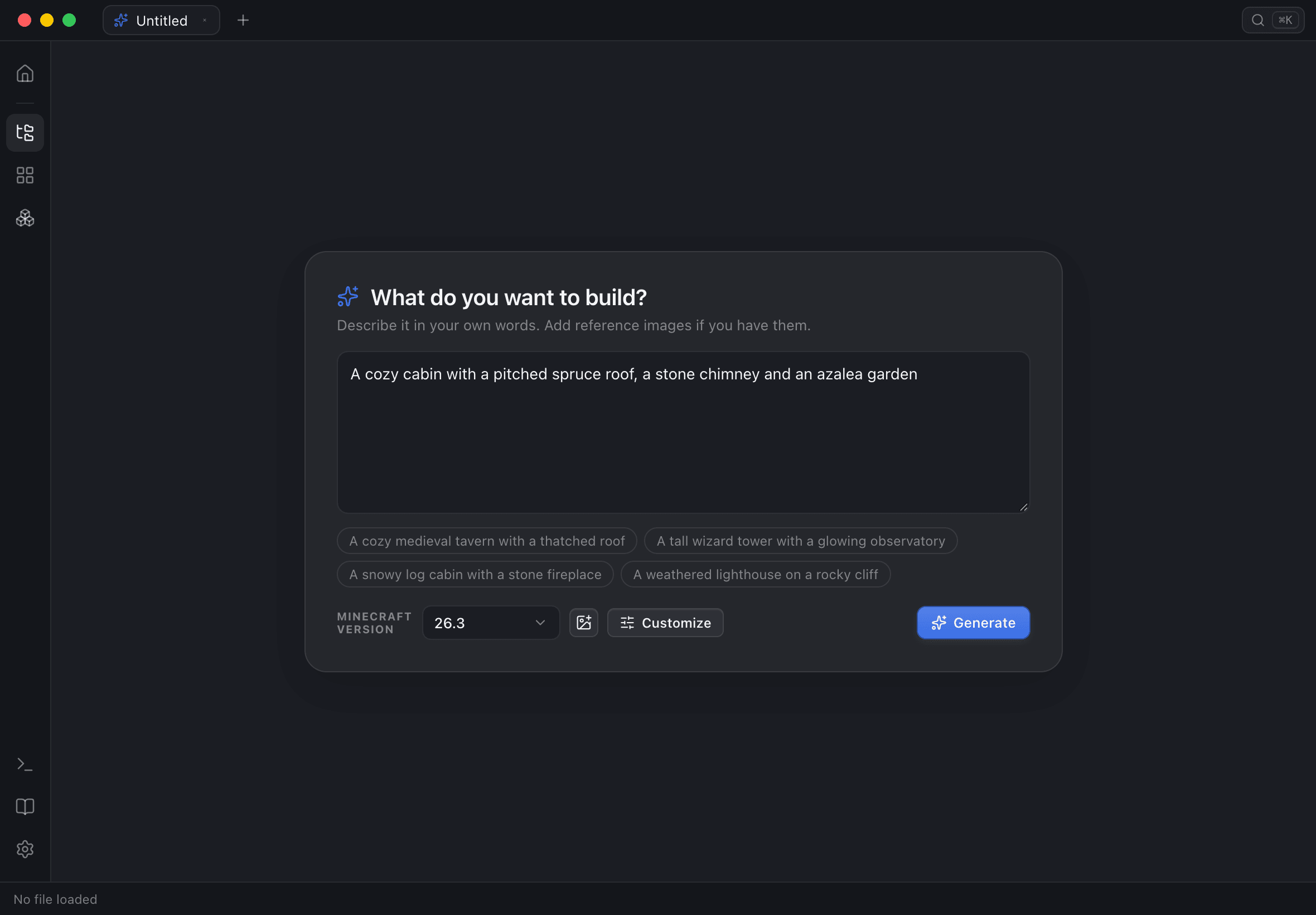
While it runs, you see what's actually happening in plain language — Plan → Build → Review → Save — with the current revision, block count and size, and a time-left estimate that learns from your previous runs and adjusts to this run's pace.
If you drive Blockwright from Claude Code or Claude Desktop, the MCP server now exposes the
same engine as seven tools (build_run, build_view, build_query, build_find, build_undo,
screenshot and build_save). An agent builds with the exact parts and checks the app uses.
Mobs, the way each version draws them
Mobs in 1.0 were already the real models. In 2.0 they're the real models for your version: each era's textures and geometry, so a cow from a 1.21.5+ pack shows its climate variant, and the 26.2 model reorganization renders correctly next to older packs. Every mob in the registry now renders on all fourteen supported releases.
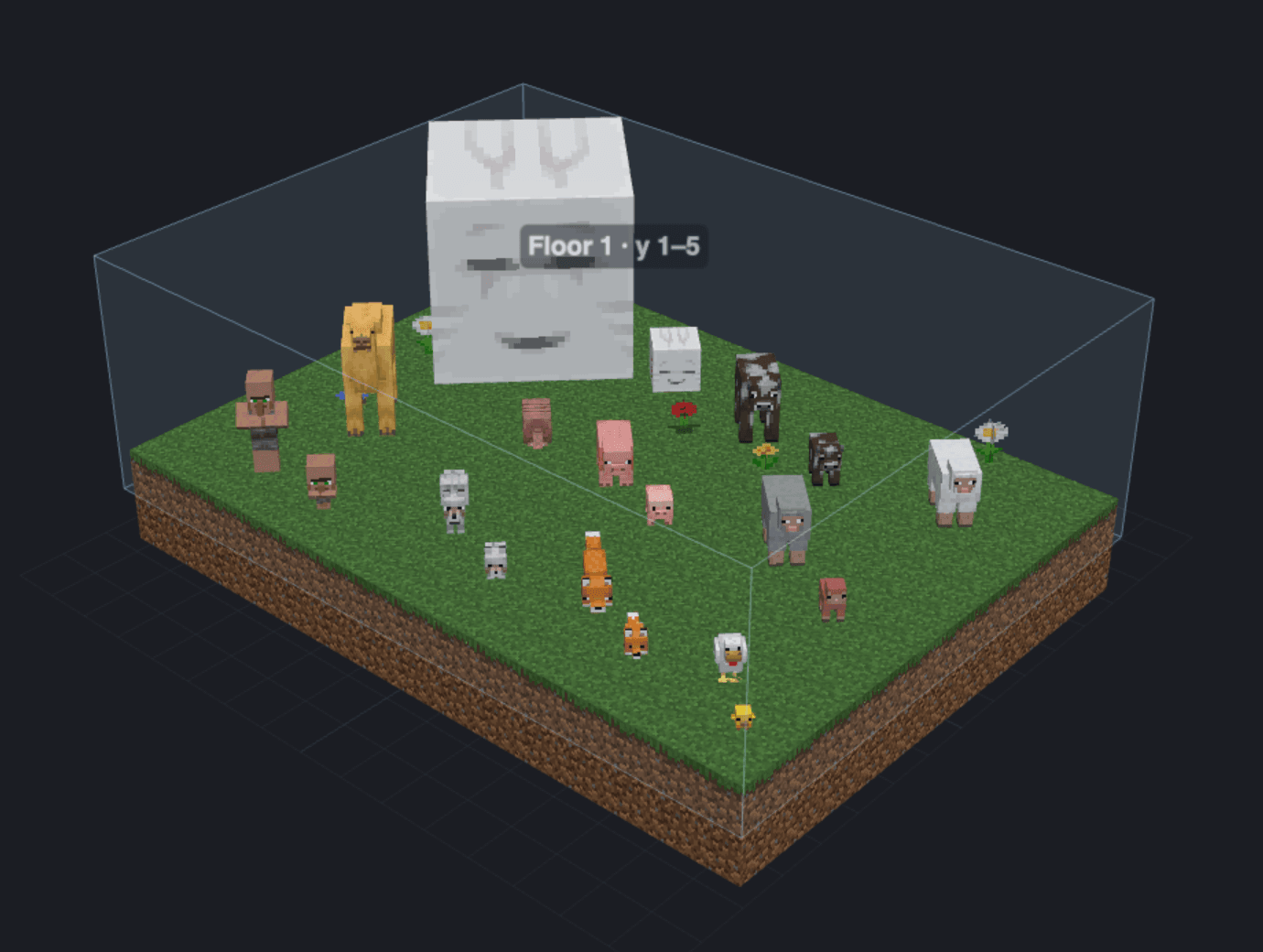
The details that made this release:
- Real baby models. From 26.2 on, babies have their own models and textures (29 of them), and Blockwright uses them. On older packs it applies Java's per-model head and body proportions instead of a flat half scale, which is why a 1.20 calf finally looks like a calf.
- The happy ghast and its baby, built from Java's geometry
- Rest poses for the armadillo, camel, bee, piglin and zombified piglin, as Java draws them
- Correct render scales per era (horses at 1.1, polar bears at 1.2, and so on)
- The sheep undercoat on dyed sheep (1.21.5+), kept when the sheep is sheared
- The
jeb_sheep. Name a sheepjeb_and it cycles through the dye colors, using Java's own color table. Nobody asked. I did it anyway.
Chests, copper chests and the 26.x beds now use their Java models and UVs, too.
A redesigned interface
The 1.0 interface grew one feature at a time, and it showed. 2.0 starts over on top of a proper design system, so every button, dialog and panel follows the same rules.
- A new Home with three ways in: create with AI, open a world, open a structure. Recent files and worlds share one shelf.
- The ⌘K command palette. Every action in the app is in it, with a plain-language title, a hint and its shortcut — including things that used to live only in the File menu, like export, render, compare and the workspace check-up.
- View · Edit · AI as one switch in the top bar. Press E to toggle Edit. The side dock only shows the panels that make sense for the mode you're in.
- A guided Export. Pick where it's going — structure file, jigsaw, world or mod — and see the pre-flight checks before anything is written. If the build is too big for a Structure Block, the sheet says so and switches to a jigsaw split in one click.
- Toasts and right-click menus. Notices stack in the corner instead of hiding in the status bar. Right-click a recent file to reveal it, copy its path or forget it; right-click a tab to close the others.
- A shortcuts sheet with every shortcut in one place. Press ? to open it.
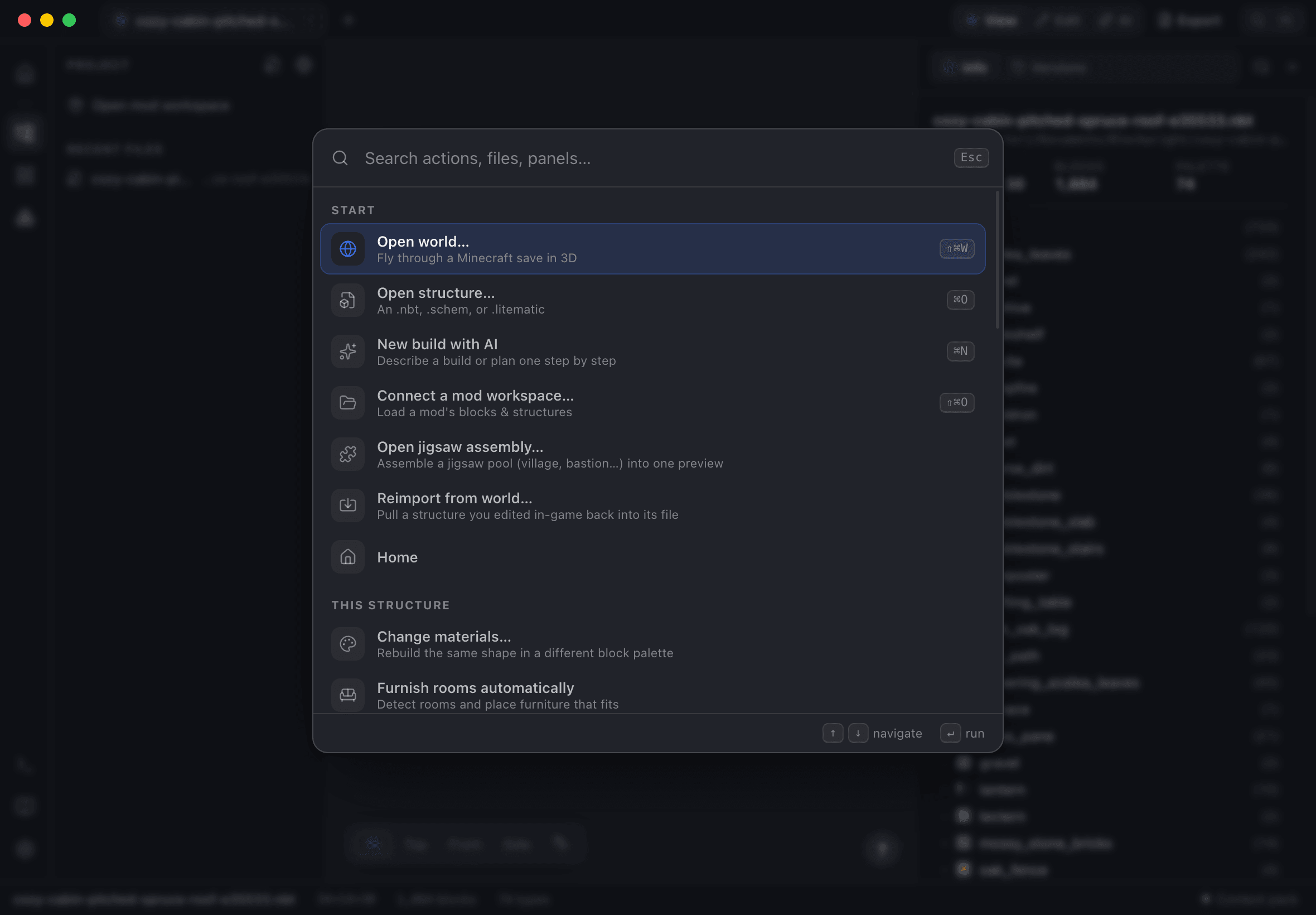
I also renamed the tools that only made sense to me. Lint is now Problems, Worldgen is Placement, Re-theme is Change materials, Detail Pass is Add details, and the Worldgen Doctor is the Workspace check-up. The old names still work as search terms in ⌘K, so muscle memory isn't punished.
Faster everywhere
Speed is the part that's hard to screenshot, so here are the numbers from the release benchmarks:
| 1.0 | 2.0 | |
|---|---|---|
| Meshing the largest vanilla structures | 402 ms, 149 MB | 20 ms, 22 MB |
| Draw calls for nearby world terrain | 1,341 | 191 |
| Main-thread stall while chunks load | 23 ms | 2 ms |
Where that comes from:
- Hidden faces are culled. Blocks fully covered by other blocks are no longer drawn, and the mesher stopped allocating per block. That's the 20× above.
- World chunks mesh about 7× faster and are decoded in worker threads, so flying stays smooth while new terrain streams in
- The world is drawn from a texture atlas, which is where the draw-call drop comes from
- The 3D view only renders when something changes. Leave Blockwright open in the background and the GPU sits near idle, which your laptop battery will notice.
- Startup is lighter. Rarely used windows, mob models and the Portuguese strings load when they're needed instead of at launch
Security
A world save is a file someone can send you, so 2.0 treats it like one. Restoring a world backup can no longer write outside that world's folder — a downloaded save could have shipped a crafted backup manifest that pointed somewhere else. Paths built from anything inside a file are now validated everywhere, crafted structure files can't exhaust memory, the app window blocks external navigation, pop-ups and permission prompts, and Reveal shows a file instead of opening it.
Fixes
- Rotated blocks (logs, furnaces, randomly rotated grass) no longer leave holes in worlds
- Cherry, azalea and pale oak leaves no longer render biome-green
- Diagonal tree limbs are no longer flagged as floating
- Open structures reload when you change the content pack
Upgrading
macOS and Linux: the in-app updater will offer 2.0 like any other update.
Windows: this one needs a manual step. 2.0 moves from the old Squirrel installer to a standard NSIS installer, and 1.x can't auto-update across that change. The update banner in 1.x links straight to the download; run the new installer and it removes the old copy for you. Your license and settings are kept. From 2.0 on, Windows updates itself through the in-app updater like the other platforms.
The usual notes still apply: you need a Minecraft content pack for textures (use a 26.3 one to see the newest mobs and blocks), and the builds are still ad-hoc signed, so the first launch shows an OS warning.
Questions people will ask
Does Blockwright support Minecraft 26.3? Yes, from 2.0. Structures, world saves, exports and AI builds all handle 26.3's block-state format.
Can I still build for older versions? Yes. AI builds target any release from 1.18.2 to 26.3, and version travel still upgrades a workspace or writes downgraded copies.
Do I have to pay again for 2.0? No. The license is one payment, and 2.0 is included.
Do my 1.0 builds still open? Yes. Nothing about the file formats you already have changed.
Get it
Download Blockwright 2.0 for macOS, Windows or Linux, or get a license if you haven't yet — one payment, no subscription, everything runs locally.
If you want the long version of a specific feature, the guides for the AI structure generator, world editor and schematic viewer go deeper than this post can. And the RSS feed is the easiest way to hear about 2.1.