AI generation
Generate Minecraft structures with AI — and watch them take shape in 3D
Blockwright builds a structure from a written prompt and shows you the result while it is still being written: the model emits blocks, the viewer renders them with the textures from your own Minecraft, and the model looks at that render and fixes what it got wrong. What lands in your library is an ordinary .nbt you can edit, diff, re-theme and drop into a world save — not a black box you have to accept as-is.
A desktop app, sold once as a lifetime license. Your files stay on your machine.
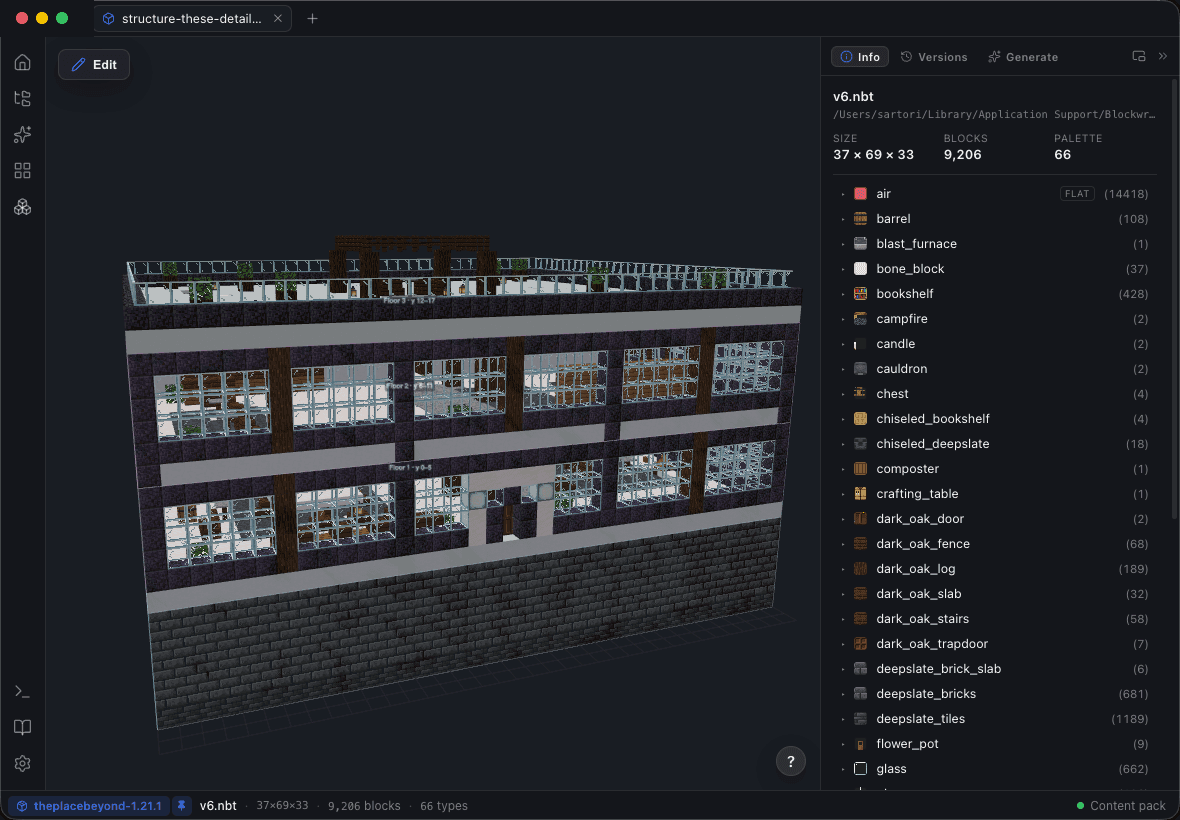
The generation loop: emit → render → review
Most AI build tools are one-shot. A prompt goes in, a file comes out, and whatever the model misjudged — a roof that does not close, a floor one block short — is now your problem to fix by hand, in a program that cannot show you what it did.
Blockwright runs a loop instead. Each pass writes blocks, renders the result in the same 3D viewer you are watching, feeds that image back to the model, and lets it correct itself. The generation log names every pass as it happens, so a run is something you supervise rather than something you wait out.
Emit
The model writes the structure — real block ids and blockstates, not a mesh that has to be voxelised afterwards.
Render
The scene updates live in the viewer. You see pass 3 land while pass 4 is being written.
Review
The model reads its own render and names what is wrong — "roofline uneven on the left" — then fixes it on the next pass.
Save
Every run lands in a browsable library folder as a new version, with the log that produced it.
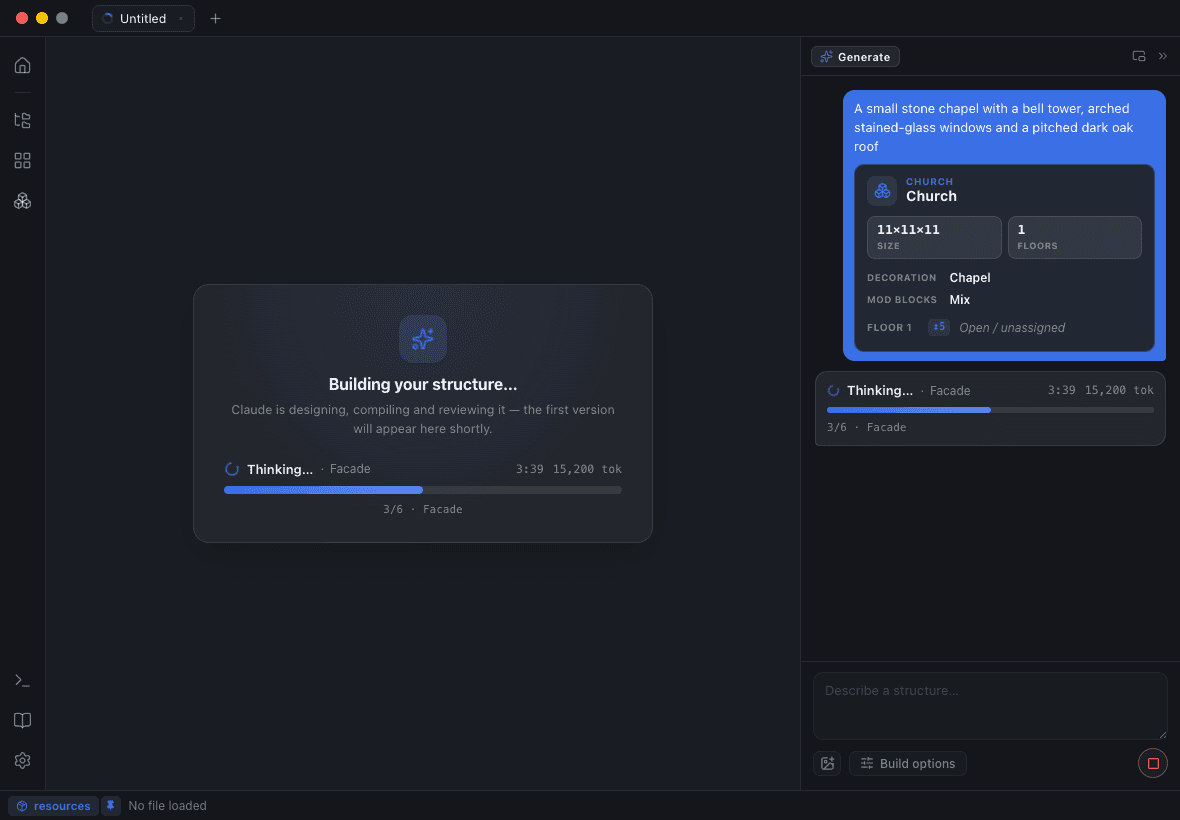
It runs on the AI subscription you already pay for
Blockwright does not sell tokens and does not charge per generation. It drives the assistant you are already signed in to — Claude (Pro or Max) or Codex (ChatGPT Plus or Pro) — through the CLI those subscriptions include. There is no API key to paste and no credit meter draining while you iterate.
What a run costs you is time on a plan you were paying for anyway, and you decide how much of it to spend: the Saver, Balanced and Thorough presets trade passes for polish. Pick the provider once in Settings ▸ AI.
Plan the build before you spend a single pass
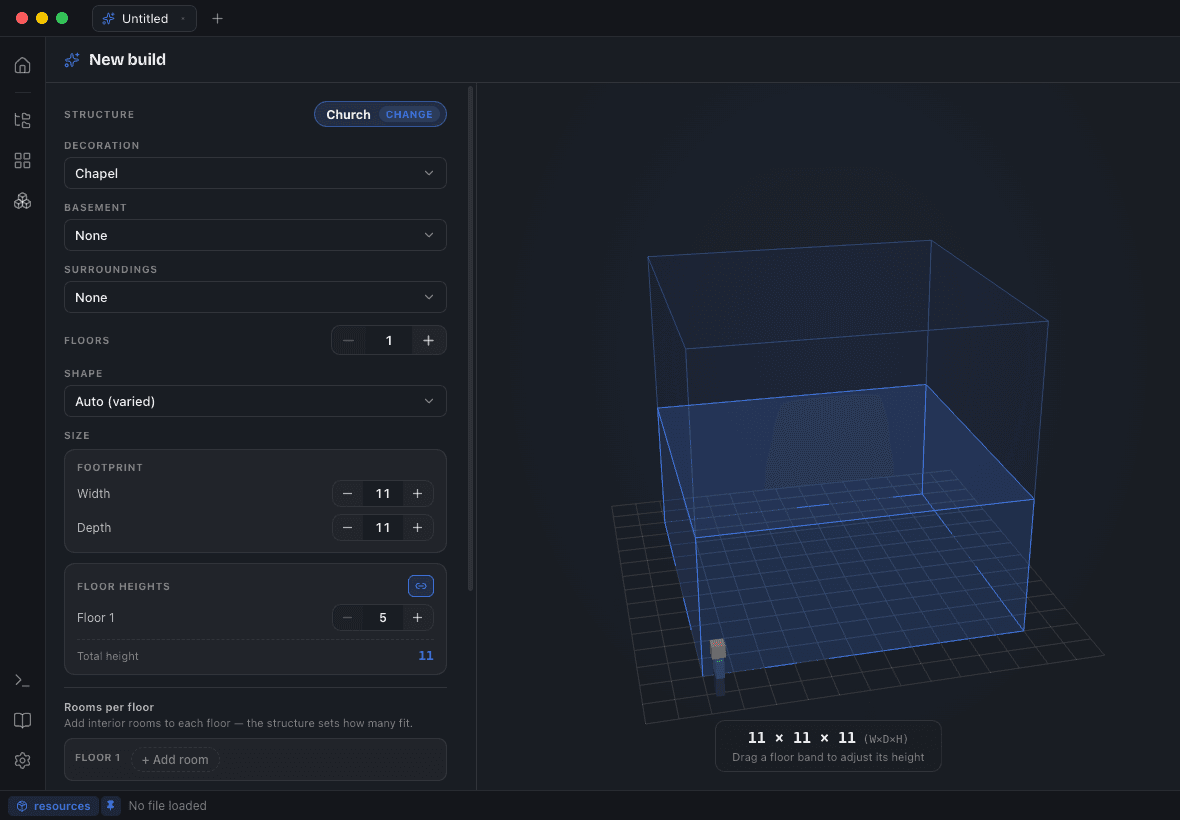
A bare prompt gives a model too much room, and the passes it spends discovering what you meant are the expensive ones. The Build Planner narrows the problem first: pick a structure type — House, Tower or Church, each with an exterior shell that Blockwright builds in code and preserves — then assemble the rest from parts.
Decoration, roof, basement, attic, yard, and up to two rooms per floor with their own heights: a living room and a kitchen below, bedrooms and a library above. The build volume previews live as a 3D wireframe while you pick, and every roof, basement, yard and decoration has its own rotating preview in the Module Gallery — so you are choosing from what they look like, not from their names.
Every run is a version, and any two versions can be compared
Each generation and each manual save is a version of the same build, kept in the Versions panel: preview any of them, set one as current to branch from it, or delete the ones that went nowhere.
Structure Diff answers the question that makes AI iteration bearable — what did this run actually change? Added cells are marked green in the viewer, removed red, changed blockstates yellow, with a per-block summary beside them. A run that quietly rebuilt a wall you liked is visible in one click instead of after twenty minutes of orbiting.
When the model is done, you keep working by hand
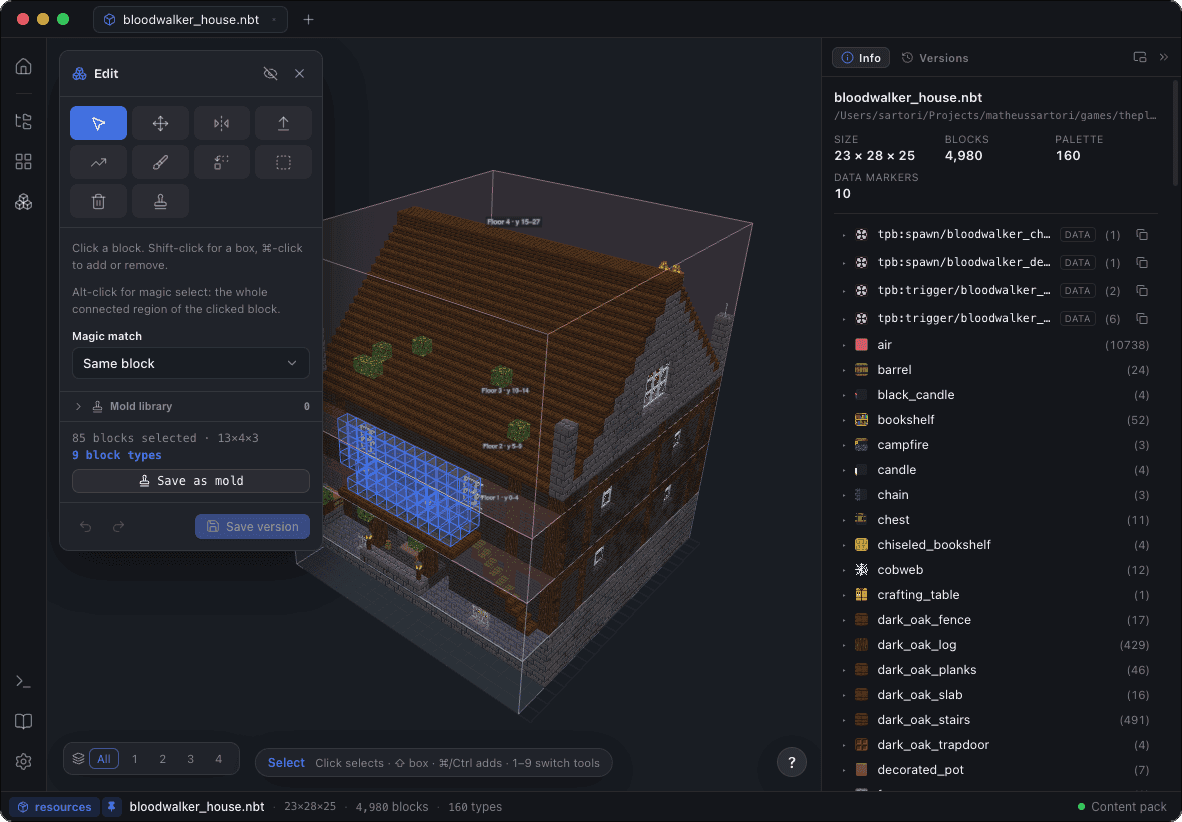
The output is a structure in an editor, so the last five per cent does not need another prompt. Hit Edit and work in the same 3D scene: paint, replace, extrude, mirror with live symmetry, delete, and edit air and void directly — with depth targeting for multi-layer voids and plane-locked strokes when you want a flat pass.
Magic select takes a whole connected region in one click, down to a same-family tolerance that grabs stone, bricks and their stairs and slabs together. Paint accepts percentage patterns — 50% stone, 30% andesite, 20% gravel — so texture is a sentence rather than a thousand clicks. Undo covers all of it, and every save is a new version.
From prompt to in-game
A generated build exports as .nbt, WorldEdit .schem, Litematica .litematic or Bedrock .mcstructure, so it travels wherever your workflow already goes. It can also skip the file: open a world save, drop the build in as an orientation-correct ghost, nudge and rotate it, and let the terrain blend do the landing — foundation pillars down to the ground, a feathered ring, excavation of terrain poking through, and sunken basements.
Builds past the Structure Block limit are cut into a jigsaw assembly automatically, with the worldgen JSON that reassembles them voxel-perfectly, and Export to World installs a ready-to-run datapack and hands you the /place command.
Generate with your mod’s own blocks
Point Blockwright at a mod project as a workspace and the mod’s blocks resolve with their real textures. Annotate the useful ones in the Block Catalog — the dictionary travels with the mod — then set the planner’s Mod blocks control to Off, Mix or Prefer. Even the code-built shell compiles in the mod’s materials, so a generated build looks like it belongs to the pack it will ship in.
Why a desktop app rather than a browser generator
Browser generators are quick, and for a one-off build with vanilla blocks they are a reasonable choice. Blockwright is for the work that starts after the file exists.
It renders with the models and textures of your own Minecraft content pack — modded blocks included — instead of an approximation baked into a website. Your structures and world saves never leave the machine; the only thing that goes out is the conversation with the assistant you chose. And the same window that generated the build opens your world, edits it, diffs it, and writes it back.
Questions people ask
Do I need an API key or AI credits to generate Minecraft structures?
No. Blockwright drives the assistant you already subscribe to — Claude (Pro/Max) or Codex (ChatGPT Plus/Pro) — through the CLI those plans include. It never sells tokens and never charges per generation.
Which AI models can it use?
Claude or Codex. You pick the provider once in Settings ▸ AI, and choose a Saver, Balanced or Thorough cost preset per run to trade passes for polish.
Does my build get uploaded anywhere?
Your structures and world saves stay on your disk. The generation loop talks only to the AI provider you signed in with — the prompt and the preview renders it reviews — and nothing else leaves the machine.
What file formats can I export a generated structure to?
Minecraft .nbt structures, WorldEdit .schem, Litematica .litematic and Bedrock .mcstructure. Blockwright converts between all four, so a generated build can go straight into whichever tool your world already uses.
Can it generate with modded blocks?
Yes. Open the mod as a workspace, annotate its blocks in the Block Catalog, and set the planner’s Mod blocks control to Mix or Prefer. The code-built shell compiles in the mod’s materials too.
Can I edit what the AI generated?
Yes — that is the point of generating inside an editor. Select, move, mirror, extrude, paint, replace and delete right in the 3D viewer, with undo and a new saved version on every save.
Is there a free version?
No. Blockwright is a paid desktop app for macOS, Windows and Linux, sold as a one-time lifetime license — no subscription and no per-generation cost.