Viewer & editor
Open .schem, .litematic and .nbt schematics in 3D — with your own textures
Blockwright reads the four formats builds actually travel in and renders them as an interactive 3D scene using the models and textures of your own Minecraft content pack, modded blocks included. Then it does the part a viewer stops at: editing block by block, converting between formats, counting the materials, diffing two versions, and writing the result back into a world.
A desktop app, sold once as a lifetime license. Your files stay on your machine.
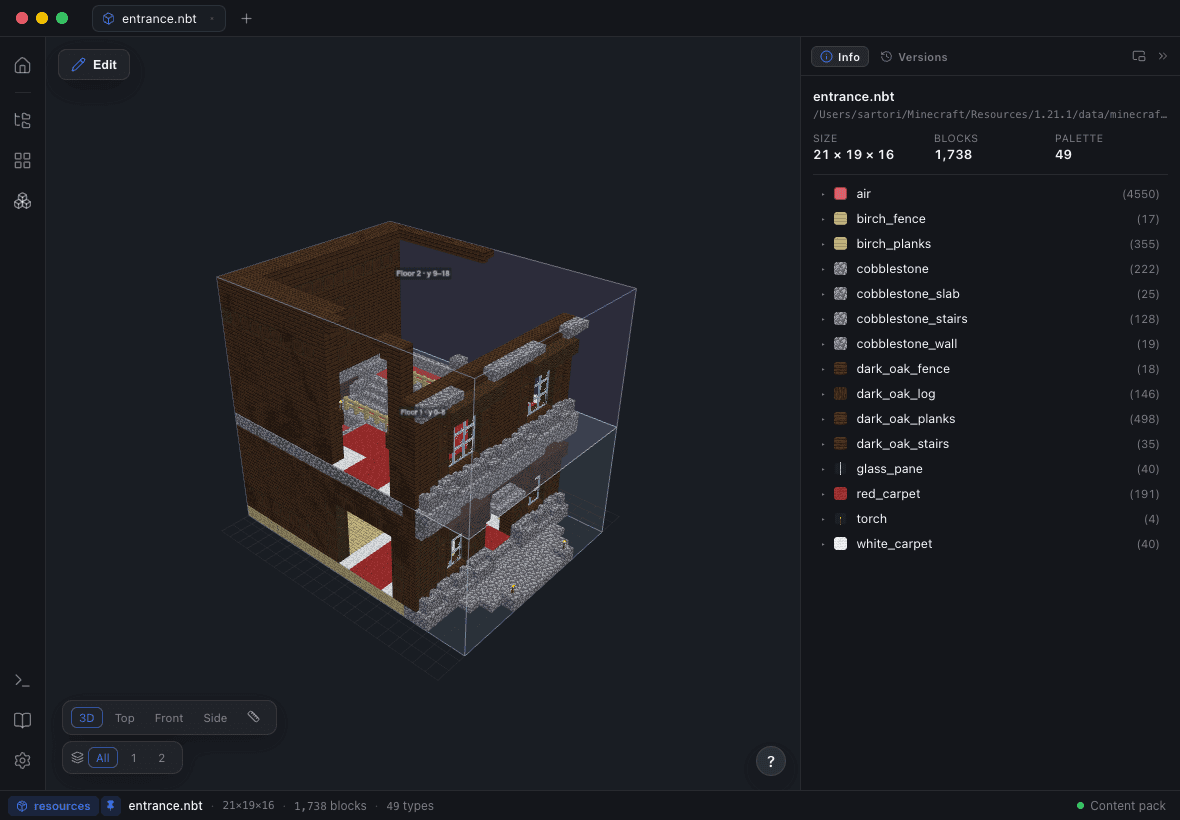
Four formats, and a converter between them
Minecraft .nbt structures, WorldEdit .schem, Litematica .litematic and Bedrock .mcstructure all open the same way — File ▸ Open… and orbit. Export As… writes any of them back out, so the app doubles as the format bridge nobody wants to think about: a .litematic someone sent you becomes the .schem your server’s WorldEdit takes, or the .nbt your data pack needs.
Rendered with your Minecraft, not an approximation of it
Blockwright ships no Minecraft assets — Mojang’s cannot be redistributed — and asks you to point it at a content pack instead: extract a version’s assets and data folders from the .jar you already have and pick the folder in Settings ▸ Viewer.
That constraint is what makes a modded block render as itself. A build full of blocks from a mod looks the way it will look in game, because it is being drawn with the mod’s own models and textures rather than a lookup table someone kept up to date until they stopped. Without a content pack everything still works — the blocks just render as flat colours.
The things a flat renderer leaves out
Block entities are drawn from their NBT: chests, beds, banners, signs, item frames. Fluids animate. And every vanilla mob in the file is drawn as its real model — around eighty of them, from creepers and wolves to the warden and the ender dragon — honouring the NBT that makes each one specific: wolf coats, horse colours, sheep dyed and sheared, villager biome and profession overlays, babies at half scale, glowing-eye layers. Armour stands keep their pose.
The Block Catalog gives every block Blockwright knows a live 3D preview, which is a faster way to pick a material than remembering what "deepslate tiles" looks like from above.
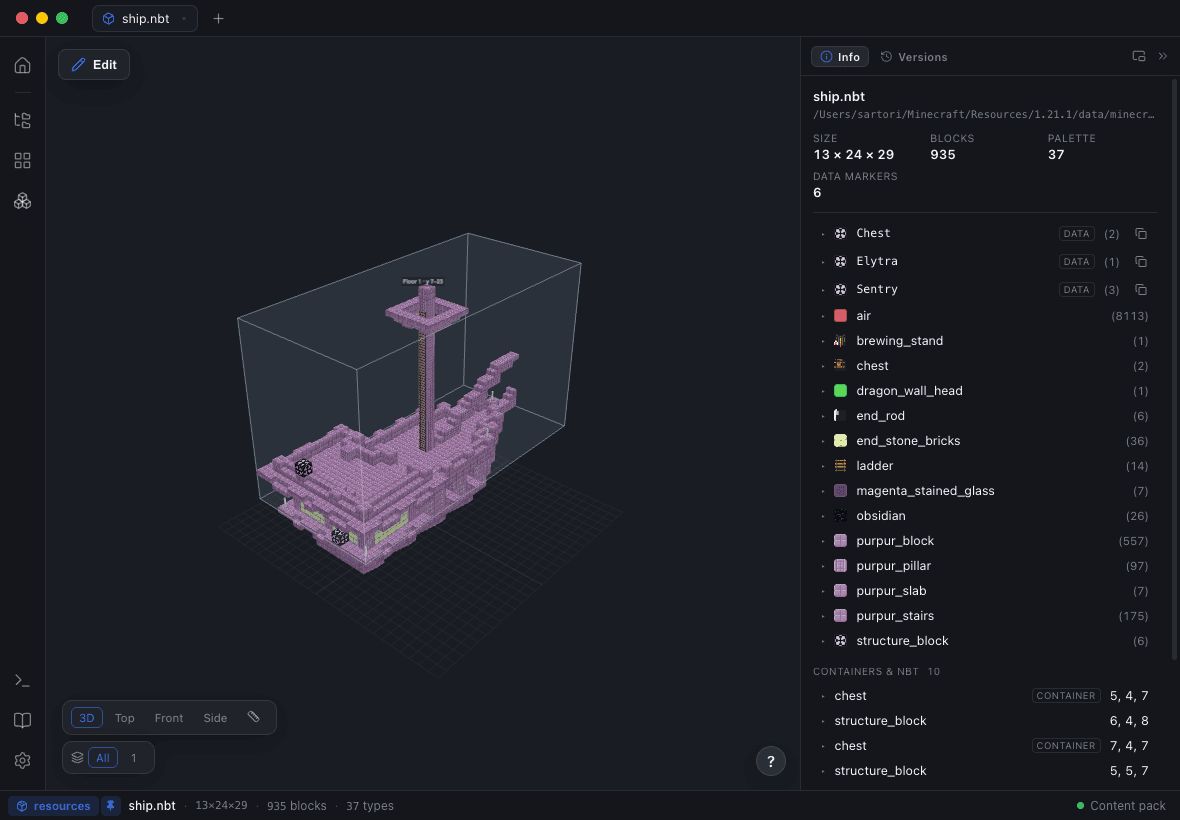
Edit inside the scene you are looking at
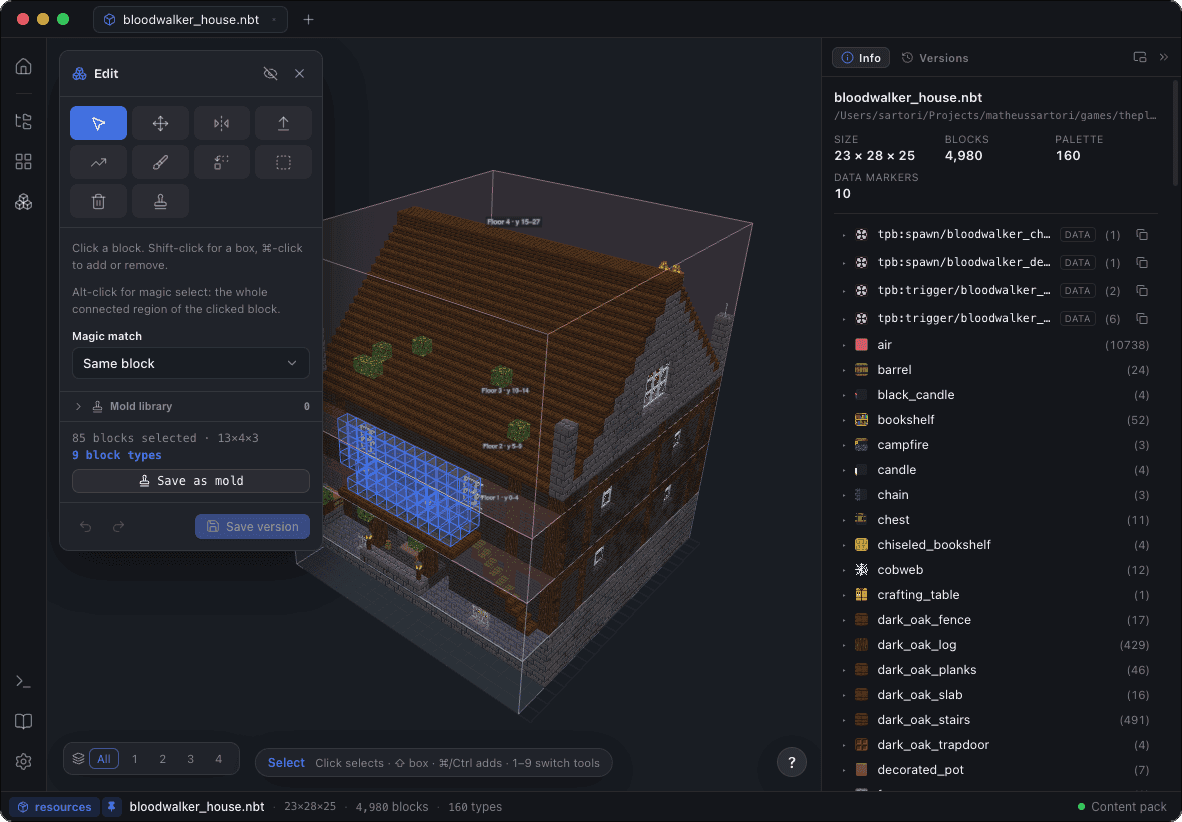
Open a structure, hit Edit, and the viewer becomes the editor. Tools live on a rail with number-key shortcuts and an on-canvas hint that says what a click will do: select, move, mirror and rotate, extrude, paint, replace, delete, and edit air and void directly with depth targeting for multi-layer void regions.
Magic select takes a whole connected region in one click — with a same-family tolerance that grabs stone, bricks and their stairs and slabs together. Paint takes percentage patterns like 50% stone, 30% andesite, 20% gravel. Symmetry is live, strokes can be locked to a plane, orientation stays correct through every transform, undo covers everything, and each save writes a new version rather than replacing the file.
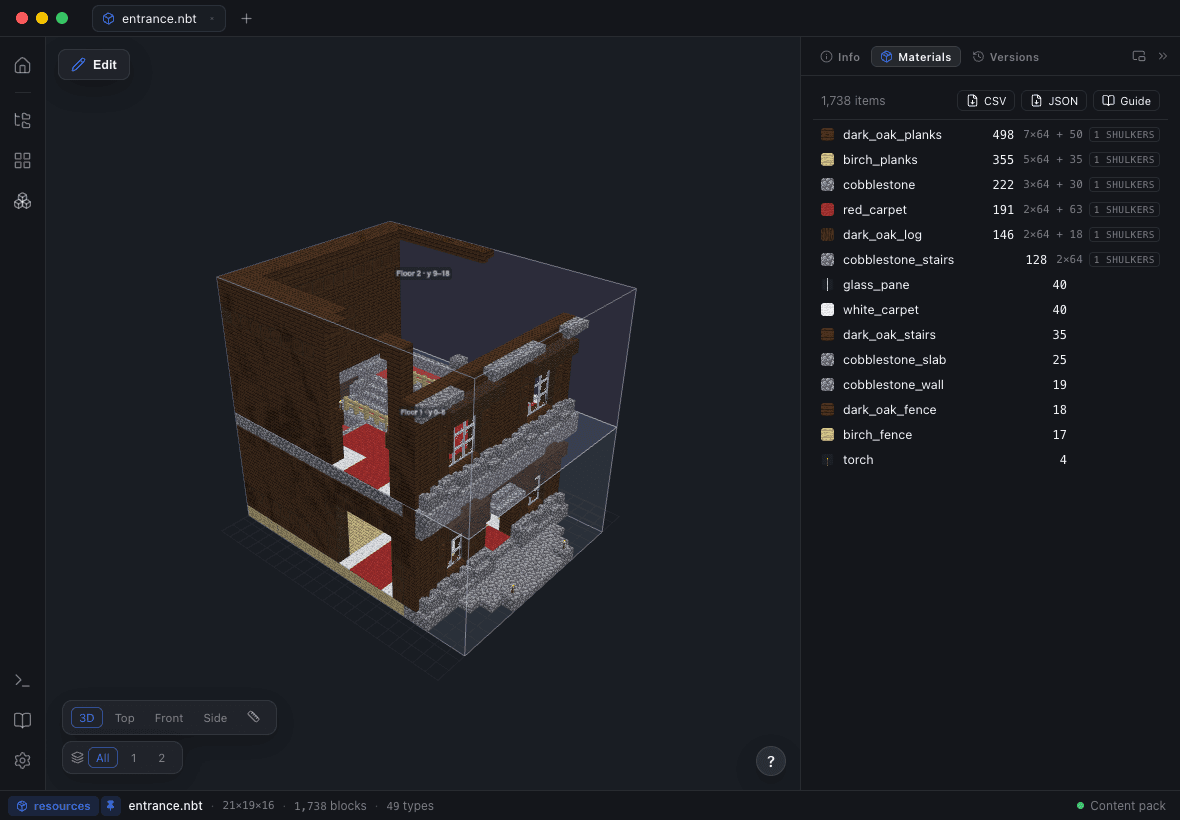
Count what the build actually costs
The Materials panel rolls any build up into a gatherable bill of materials with stack and shulker-box maths, and it counts the way the game does rather than the way the file does: doors and beds once, double slabs twice, fluids as buckets, entities included. Export it as CSV or JSON when the survival server needs a shopping list.
Compare versions, and re-theme in one pass
Structure Diff compares the open build with any file or any of its own versions and marks the result in 3D: green added, red removed, yellow changed block or blockstate, with a per-block summary. Re-theme swaps blocks across the whole build with blockstates carried over — stairs keep their facing — by hand with occurrence counts, or from any registered decoration’s palette. Download any build, make it yours; both are undoable and both save as versions.
Beauty Render exports the result as a high-resolution PNG with a transparent or themed background and preset angles including a cross-section, or as a turntable WebM, straight from the viewer.
When a browser viewer is the better tool
If you just want to look at a .litematic someone linked, a free in-browser viewer is faster: nothing to install, nothing to configure. Blockwright is a paid desktop app, and it asks you for a content pack before it looks its best.
What it buys is everything after the look: your own modded assets, a real block editor with versions and diffs, a bill of materials, whole world saves opened and edited with a write path that refuses to be careless, jigsaw and worldgen authoring, and files that never leave your machine.
Questions people ask
Which schematic formats can Blockwright open?
Minecraft .nbt structures, WorldEdit .schem, Litematica .litematic and Bedrock .mcstructure. Export As… converts between all four.
Can I convert a .litematic to .schem?
Yes. Open the .litematic and use Export As… to write it out as .schem — or as .nbt or .mcstructure. The conversion runs locally; nothing is uploaded.
Do I need Minecraft installed?
You need a content pack for the textures: extract a version’s assets and data folders from the .jar in your .minecraft/versions folder and point Settings ▸ Viewer at it. Without one, blocks render as flat colours and everything else still works.
Does it render modded blocks?
Yes. Add the mod’s assets to your content pack, or open the mod project as a workspace, and its blocks render with their own models and textures.
Are my files uploaded to a server?
No. Blockwright is a native desktop app for macOS, Windows and Linux; structures and world saves are read from and written to your own disk.
Is there a free or online version?
No. Blockwright is sold as a one-time lifetime license, with installers for macOS, Windows and Linux. Free browser viewers exist and are a fine way to glance at a file; this is a workbench for editing and shipping builds.