Jigsaw export
Turn a build into a Minecraft jigsaw structure that generates in-world
A Structure Block only loads 48 blocks per axis — 32 before 1.16 — so a build bigger than that will not come back into the game in one piece, and hand-cutting it into template pools is a day of JSON nobody enjoys. Blockwright cuts it into a jigsaw assembly for you: a grid of pieces plus the worldgen files that put them back together voxel-perfectly, with the /place command spelled out at the end.
A desktop app, sold once as a lifetime license. Your files stay on your machine.
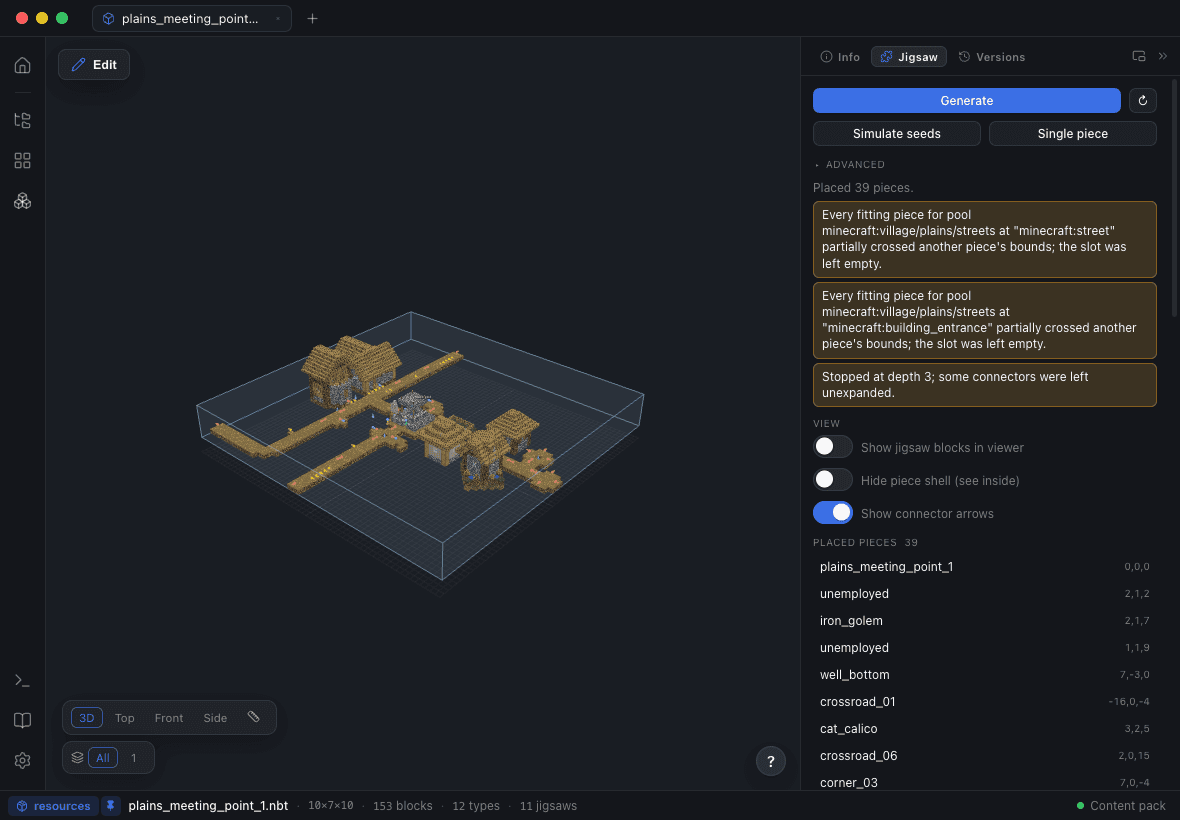
Oversized builds are split automatically
Every export path checks the size first. Past the limit, the structure is cut into a balanced grid of pieces — each one inside the Structure Block limit — connected by a center-rooted spanning tree kept deliberately shallow so the assembly respects the distance cap.
The split is lossless, and for a specific reason: after generation vanilla replaces each jigsaw block with its own final_state, so every connector restores the original block that was in that cell. The only cost is at most two seam cells per tree edge, and those are placed away from block entities so no NBT is lost — you get a warning on the rare build where that is unavoidable.
It refuses rather than ships broken: past 200 pieces or a depth of 20, the export is blocked with an explanation instead of writing an assembly the game cannot finish.
The four worldgen files, written for you
A structure that spawns needs a jigsaw structure def, a template pool, a structure set and a has_structure biome tag. Blockwright writes all four, and puts the .nbt in the version-correct folder — structure/ on 1.21 and later, structures/ before it, which is the single most common silent breakage when a pack moves versions.
Nothing is written blind. The export dialog previews every file it is about to touch with REPLACE badges on the ones that already exist, and lists the problems it found first: an empty biome list, separation greater than or equal to spacing, a legacy folder, a missing source file. For a plain export that is not oversized, worldgen generation is off by default — dropping an .nbt does not quietly rewrite worldgen you authored by hand.
Export to World: a datapack you can /place immediately
Export to World installs a ready-to-run datapack into a save’s datapacks folder and then teaches you the command, with a copy button: /place jigsaw with the pool, the target and the depth already filled in.
The target it gives you is a real connector on the root piece, not minecraft:empty — /place anchors its placement on a jigsaw of that name, and getting it wrong is why the command so often does nothing. Natural worldgen has no such requirement, which is exactly why the mistake survives testing.
Tune where it spawns without leaving the app
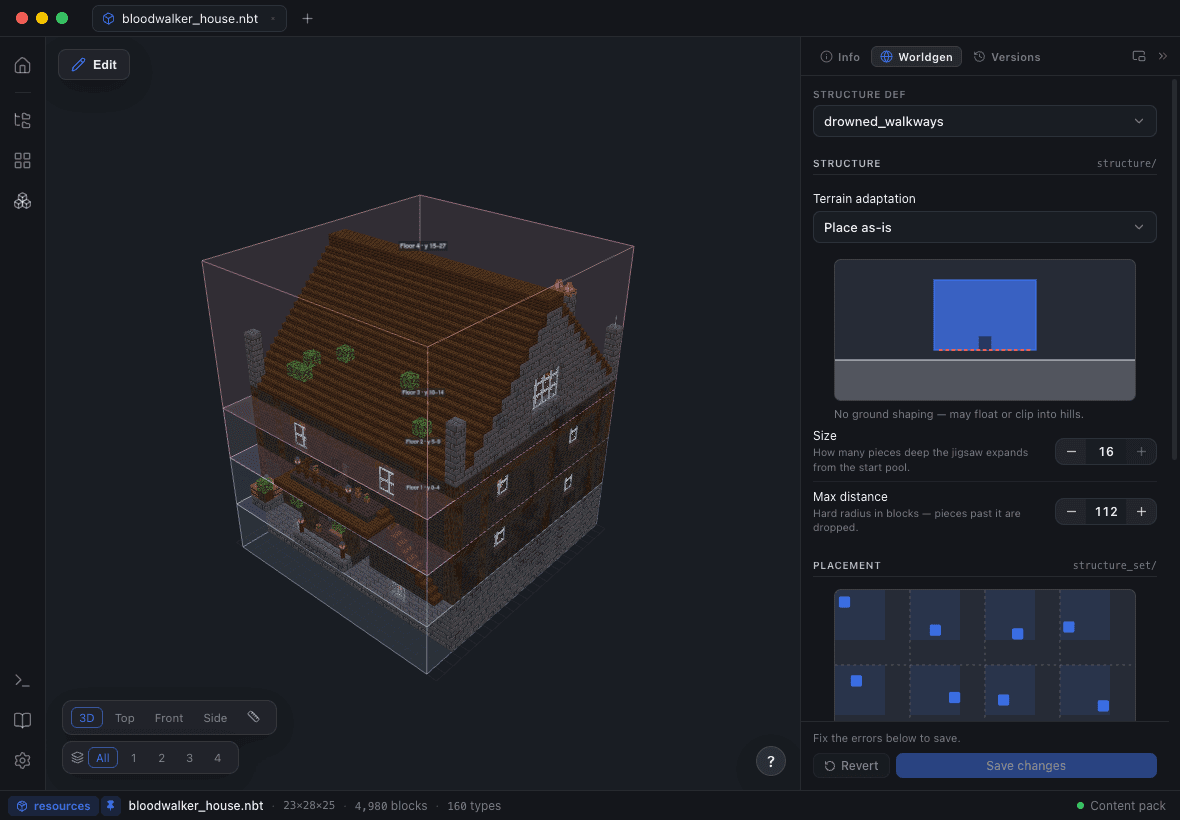
The Worldgen Studio edits the placement live: terrain adaptation, size, max distance from center, the biomes it belongs in (your mod’s own biomes or vanilla’s), spacing and separation, and the start pool’s element weights and fallback. A placement map shows what the spacing and separation you just typed actually look like.
Validation runs before the save, on the rules that produce no in-game error: spacing between 1 and 256, separation below spacing, size 1–7, weights 1–150, and max distance capped at 116 once terrain adaptation is on. Saving re-reads the pools in the Jigsaw Lab, so you can simulate the change immediately.
Round-trip through the game
Export into a world, open it in Minecraft, edit the pieces with vanilla Structure Blocks the way you always have — then Reimport from World stitches the result back into Blockwright as a new version. The in-game pass stops being a fork in the road and becomes another step in the same history.
Version travel for the whole data pack
A workspace can be upgraded to its target Minecraft version, or copied down to an older one. DataVersions are re-stamped surgically, renamed block ids are restored, blocks that do not exist in the older version are swapped for curated same-shape stand-ins, and every change and every loss is reported. Originals are never touched — a downgrade produces copies.
Questions people ask
How big can a Minecraft structure be before it needs a jigsaw?
A Structure Block loads 48 blocks per axis on 1.16 and later, and 32 before that. Anything larger has to be split into a jigsaw assembly to come back into the game whole — Blockwright does that automatically on every export path.
Do I have to write template pool JSON by hand?
No. The split writes the template pool along with the structure def, the structure set and the biome tag, and the Worldgen Studio edits them afterwards through validated forms.
Will exporting overwrite worldgen files I wrote myself?
Only with your say-so. Worldgen generation is off by default on a normal export, the dialog previews every file with a REPLACE badge before writing, and edits from the Worldgen Studio patch only the modelled fields — spawn_overrides, processors and salt survive untouched.
Does splitting change the build?
The blocks come back identical. Vanilla replaces each jigsaw block with its own final_state after generation, so every connector restores the original block; the only cost is up to two seam cells per tree edge, kept clear of block entities.
How do I place the structure in-game once it is exported?
Export to World installs the datapack into your save and gives you the exact /place jigsaw command — pool, target and depth — with a copy button. The target names a real connector on the root piece, which is what the command anchors on.
Java or Bedrock?
Jigsaw export targets Java Edition data packs and mod workspaces. Bedrock .mcstructure files can be read and written, but the worldgen JSON pipeline is Java-side.