Jigsaw Lab
View and test Minecraft jigsaw structures without launching the game
A jigsaw structure is only correct once it assembles in-world, which is exactly the moment it is hardest to look at. Blockwright’s Jigsaw Lab draws every connector in the 3D scene, resolves the template pools behind them, plans the assembly over as many seeds as you like, and names the failures vanilla fails silently on — before a single chunk is generated.
A desktop app, sold once as a lifetime license. Your files stay on your machine.
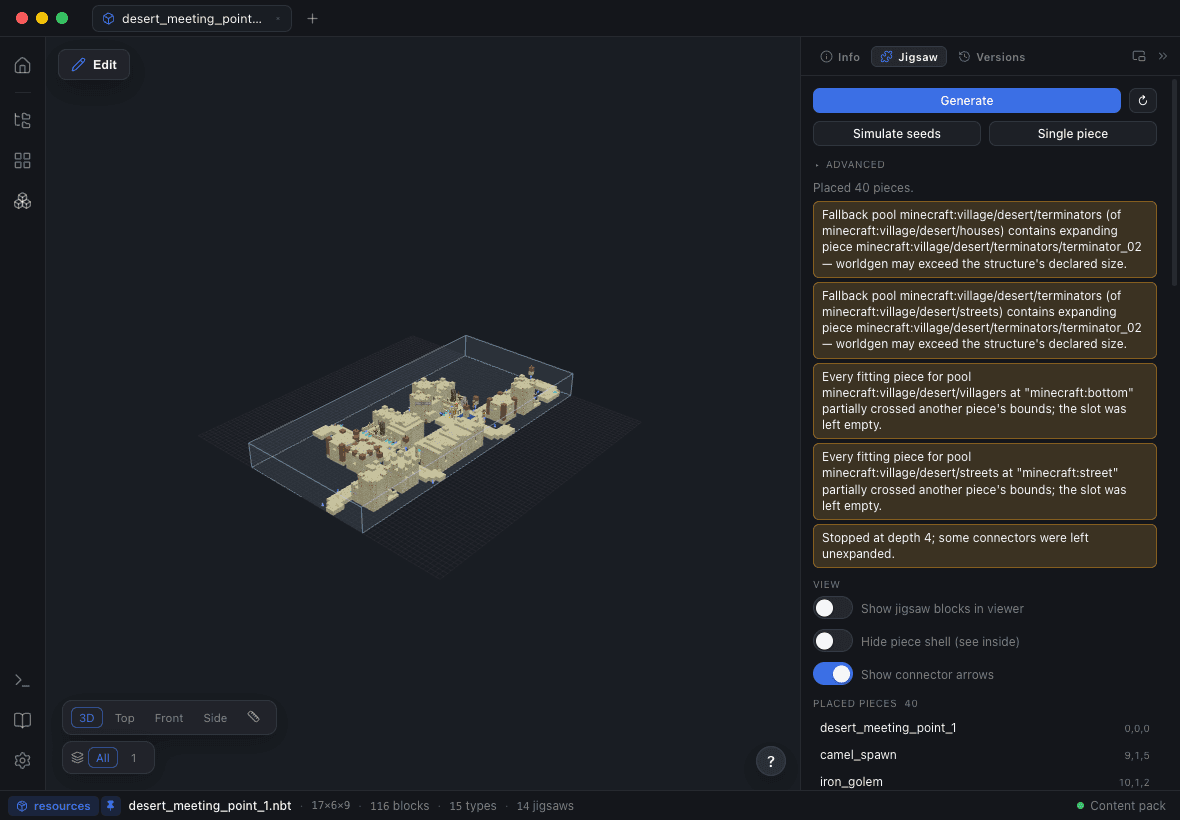
Every jigsaw block, drawn where it actually points
Blockwright reads the jigsaw connectors out of a structure’s block-entity NBT — name, target, pool, final_state and joint — and draws each one in the scene as an anchor cube with an arrow cone pointing along its front face. Colours are assigned per pool and stay stable, so two connectors that belong together look like they belong together.
There is an x-ray pass as well, so a connector buried inside the build is still visible from outside, and hovering a row in the panel puts a focus shell around that marker in 3D. After an assembly runs, markers are built for every placed piece, not just the one you opened.
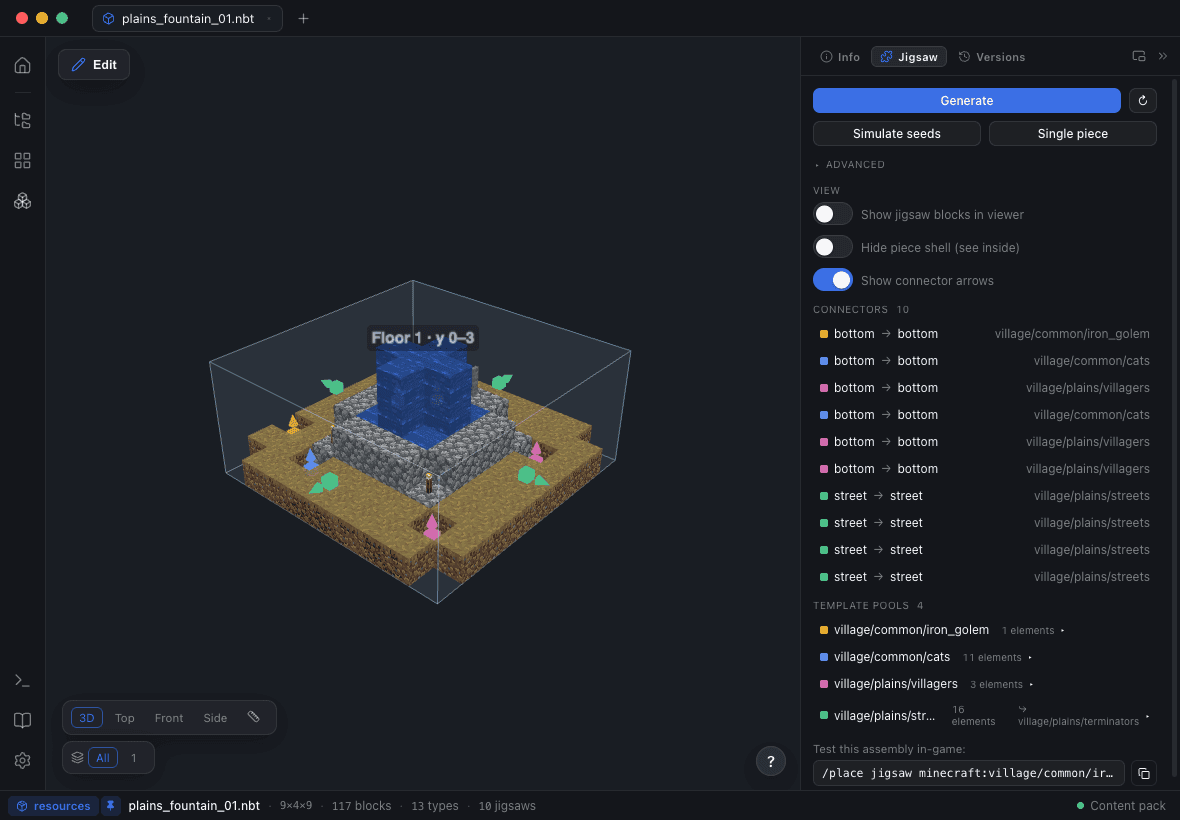
Template pools, resolved instead of assumed
The pool inspector lists every distinct pool your connectors point at and tells you what is actually behind the name: whether the pool file exists, how many elements it resolves and which ones are missing, what its fallback is, and whether that fallback resolves either. The colour chips match the arrows in the scene, so a broken pool is a colour you can go and look at.
It re-reads whenever the Worldgen Studio saves, which makes the authoring loop edit → save → re-simulate → look at it in 3D, with the game closed the whole time.
Simulate the assembly across seeds
One seed proves nothing: a jigsaw structure that assembles beautifully on the seed you tested is exactly how a pool with one bad weight ships. Simulate seeds plans a batch of random seeds in one go and keeps every plan, so you can click through the runs and see the spread — how far the assembly expanded, which pieces got picked, where it terminated.
Clicking a run re-shows it from the piece cache rather than replanning it, and the seed field follows your selection so a re-roll continues from the run you were looking at. The panel lists the placed pieces of the assembly, and clicking a piece opens that piece’s own file.
The failures Minecraft never reports
When a jigsaw structure generates wrong in-game, the game does not explain itself: you get a village with a hole in it, or nothing at all. The assembler here emits the rejections by name instead.
overlap
A slot stayed empty because every aligned candidate partially crossed bounds already placed — vanilla’s "boxes may only touch or be contained" rule, which is the usual reason a piece is simply absent.
unsupported-orientation
Pieces with a matching target name exist, but none of them can face that connector: Y-only rotation cannot fix a vertical/horizontal axis mismatch.
fallback-expansion
A fallback pool contains pieces that themselves expand — the standard way an assembly blows straight past the size declared on the structure def.
waterlog risk & mob equipment
An aquatic-biome def with a waterloggable start pool (vanilla force-waterlogs below the surface), and saved mob gear that natural generation will re-roll.
Structure Lint: the per-file checks
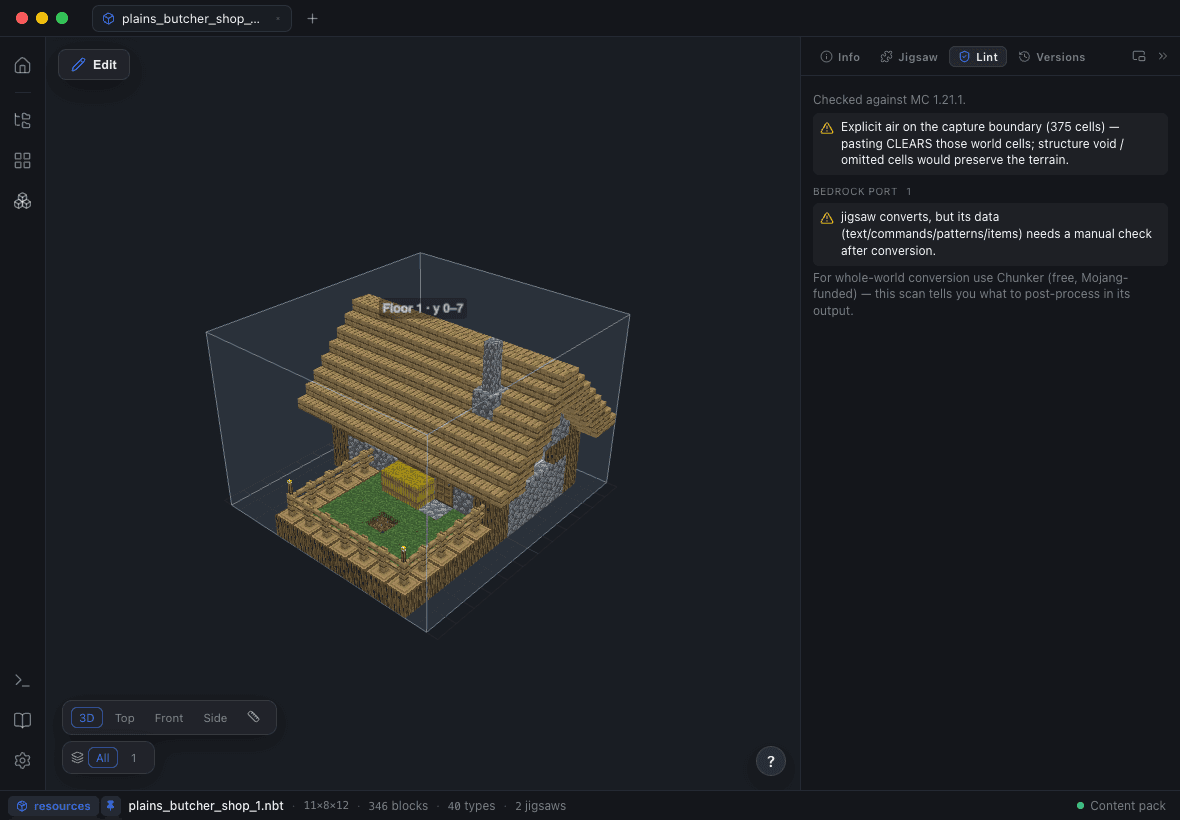
Alongside the assembly, a linter reads the file itself and reports what will bite later: explicit air on the boundary of a dense capture (which clears the terrain it is pasted into), blocks the target Minecraft version does not know — with the curated same-shape stand-in named — orphaned palette entries, and data markers with empty metadata.
Every finding carries a position, so clicking a row focuses that exact cell in the 3D scene. The Workspace Check-Up runs the same rules across the whole data pack.
Worldgen Studio: the four files that decide whether it spawns
The structure def, the template pool, the structure set and the biome tag are the four JSONs standing between a finished build and a structure that appears in a world. The Worldgen Studio puts validated forms over all of them: terrain adaptation, size, max distance from center, biomes, spacing and separation, start-pool element weights and fallback.
Writes are surgical. Each file is re-read and only the modelled fields are patched, so spawn_overrides, processors, salt and empty elements survive byte-for-byte — hand-authored worldgen is not rewritten by an editor that only understood part of it. Validation gates the save on the things that fail silently in-game: an empty biome list, separation greater than or equal to spacing, a size outside 1–7, and a max_distance_from_center over 116 when terrain adaptation is on (vanilla adds 12 and rejects anything over 128).
Workspace Check-Up: the audit before you launch the game
The Worldgen Doctor scans an entire data pack for the failures that produce no error message at all — a jigsaw structure def with no spawn_overrides (the codec requires the field even as an empty object, or the pack refuses to load), an empty biome tag, a dead pool reference, an .nbt past the Structure Block limit, a structure folder using the pre-1.21 name. The safe ones have Fix it buttons.
Watch mode keeps the viewer and the project panel in sync while external tools — a datapack build, an Axiom export, VS Code — edit the same files underneath you.
Questions people ask
What is a jigsaw structure in Minecraft?
A structure that generates from pieces rather than as one file: jigsaw blocks inside each piece name a target and a template pool, and the game assembles matching pieces outward from a start pool. Villages, pillager outposts, bastion remnants, ancient cities, trail ruins and trial chambers are all jigsaw structures.
Can I test a jigsaw structure without generating a world?
Yes. Blockwright plans the assembly the way the game would — seeded and bounded — over a batch of random seeds, shows each run in 3D, and lists the placed pieces. Nothing is written and Minecraft never has to open.
Why is my custom jigsaw structure not generating?
The usual causes are silent ones: a missing spawn_overrides field on the structure def, an empty biome tag, a pool that does not resolve, separation greater than or equal to spacing in the structure set, or an .nbt in the pre-1.21 structures/ folder on a 1.21+ pack. The Workspace Check-Up reports all of these with fix-its.
Will editing worldgen JSON in Blockwright rewrite my files?
No. Each file is re-read on save and only the fields the form models are patched — spawn_overrides, processors, salt and empty elements are preserved byte-for-byte.
Does this work with Bedrock Edition?
The jigsaw and worldgen tools target Java Edition data packs and mod workspaces. Blockwright does read and write Bedrock .mcstructure files in the viewer and editor.
Which Minecraft versions are supported?
Blockwright tracks Minecraft’s release cadence through 26.2, opens world saves from 1.13 onward, and stamps exports with the DataVersion and pack format your target actually uses. Jigsaw features are enabled for the versions they have been validated against; anything else shows a notice rather than a wrong answer.